
Print from Safari
Go from product page to label
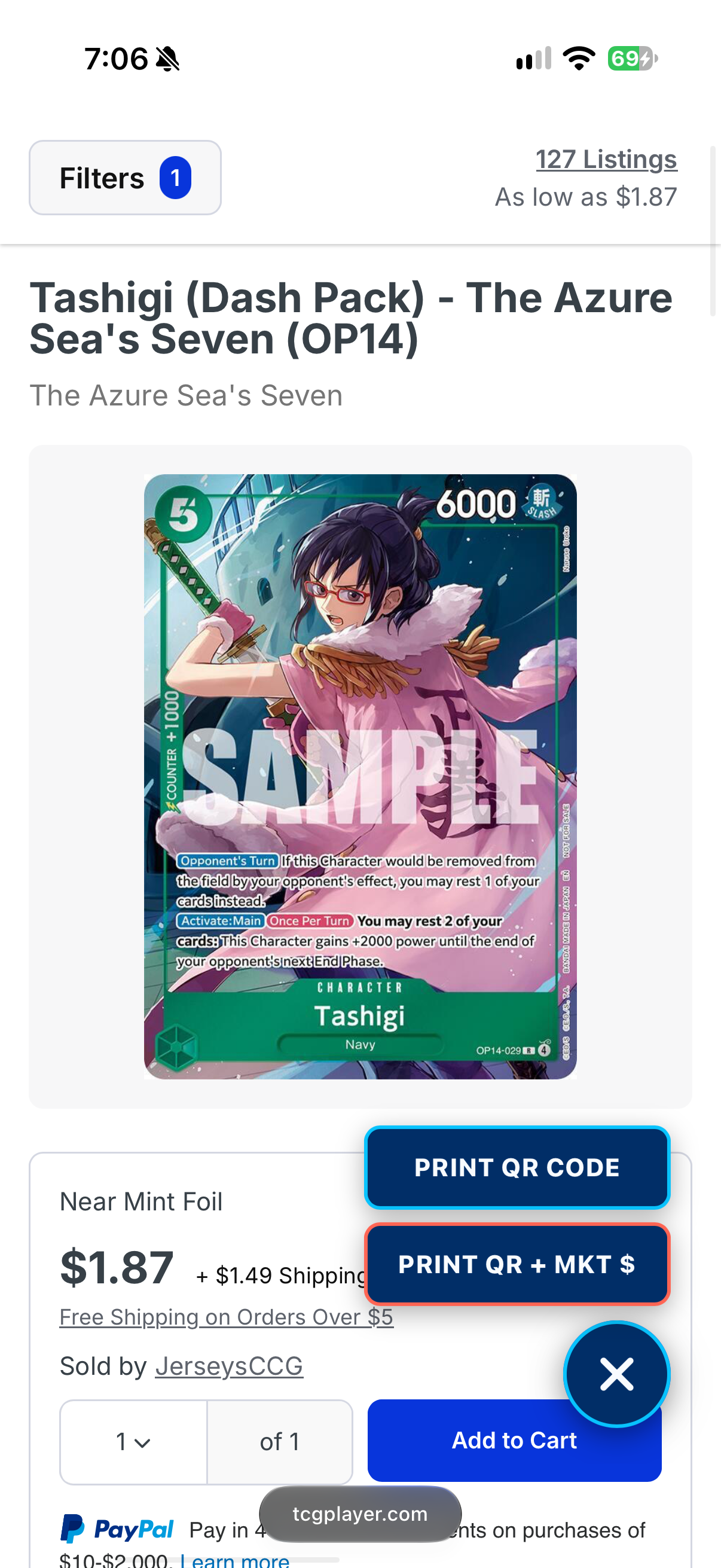
Open a supported TCGplayer card or sealed-product page, then choose a QR-only label or add the displayed market price.

QR labels for trading cards.
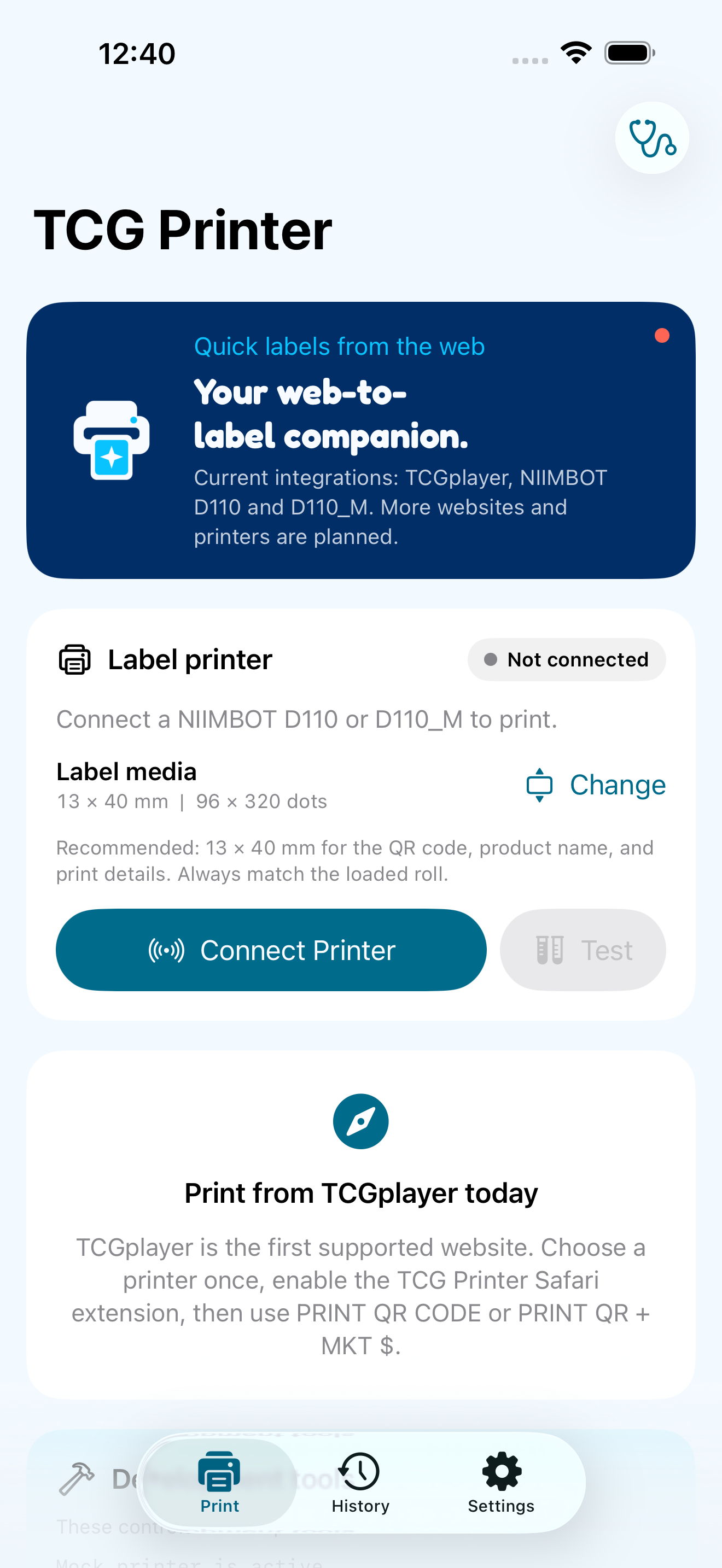
TCG Printer turns supported TCGplayer card and sealed-product pages into printed QR labels from Safari. Connect a compatible NIIMBOT printer, choose the installed media, and send labels directly over Bluetooth without an account or remote print server.
Why TCG Printer
A free, local-first iPhone utility that turns supported TCGplayer card and sealed-product pages into QR-only or QR and market-price labels for NIIMBOT D110 and D110_M printers over Bluetooth.
Print from Safari
Open a supported TCGplayer card or sealed-product page, then choose a QR-only label or add the displayed market price.
Direct Bluetooth
Labels are rendered on your iPhone and sent directly to a saved NIIMBOT D110 or D110_M printer over Bluetooth.
Local-first
TCG Printer is free and has no account, subscription, in-app purchase, advertising, analytics, or required print service.
Inside the app
Privacy
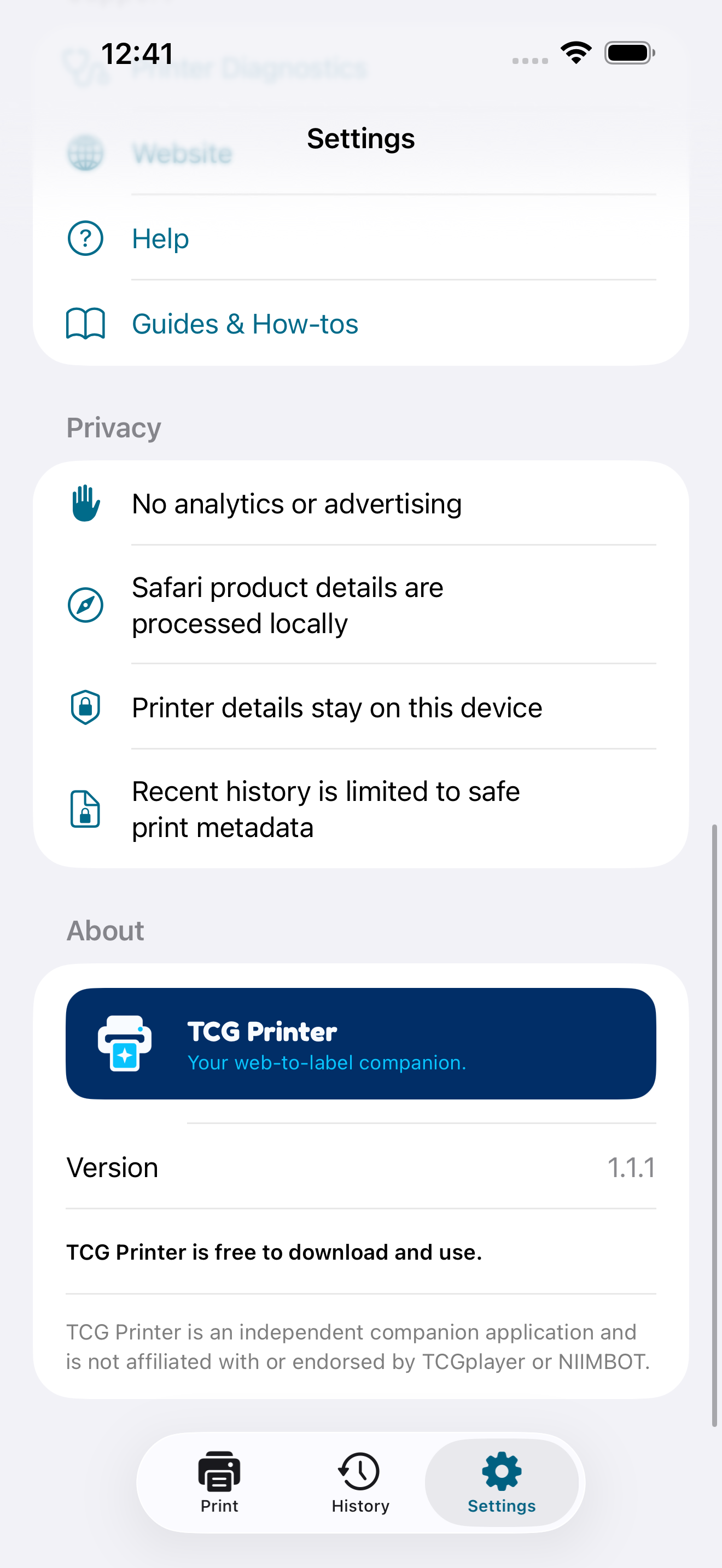
TCG Printer has no account, advertising, analytics, tracking, or required print server. Supported product details are processed on your iPhone, and labels are sent directly to the printer over Bluetooth.
Privacy at a glanceSupport
Start with practical troubleshooting and quick answers, then email the right app inbox if you still need a hand.
Open TCG Printer supportA free, local-first iPhone utility that turns supported TCGplayer card and sealed-product pages into QR-only or QR and market-price labels for NIIMBOT D110 and D110_M printers over Bluetooth.